Adding a Website
Pick Web from the available sources.
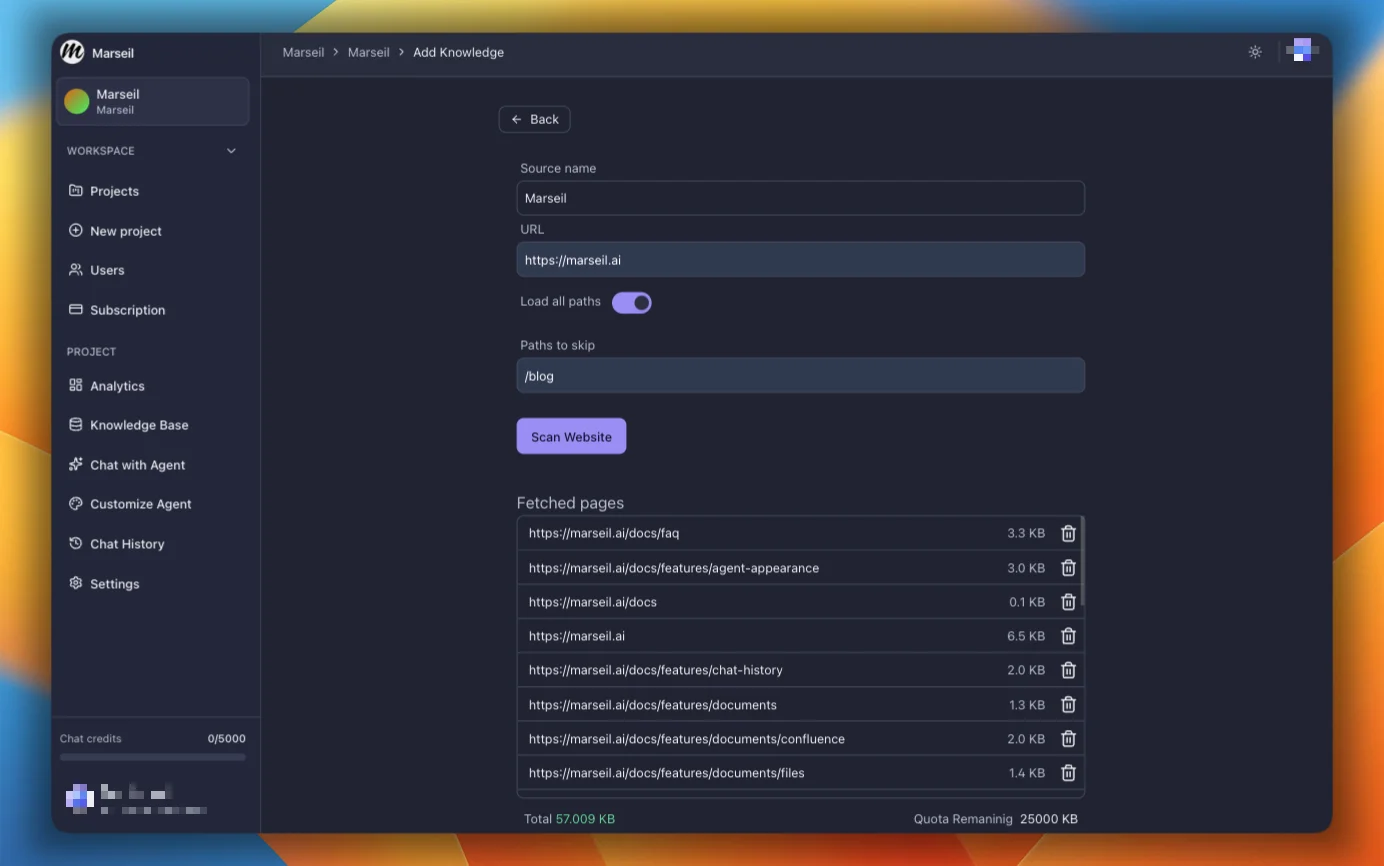
Scan Website
Enter your URL and click Scan Website. This lists all links found on the page. You can navigate away and come back once pages are fetched.
Load All Paths
When this is on, Marseil follows every link it finds until it runs out of pages. Turn it off to only grab text from the URL you entered.
Paths to Skip
Enter comma-separated paths like /blogs or /private to exclude them from the crawl.
Fetched Pages
Deselect any pages you don’t want included. Then click Index Pages and the agent starts learning from what’s left.
You can also see how much storage the pages will take up. If the site is big, you might need to upgrade.
Sync Pages
When the website changes, hit the refresh icon on the document to pull in the latest content. Want automatic syncing? Email Support@Marseil.ai.