Chat History
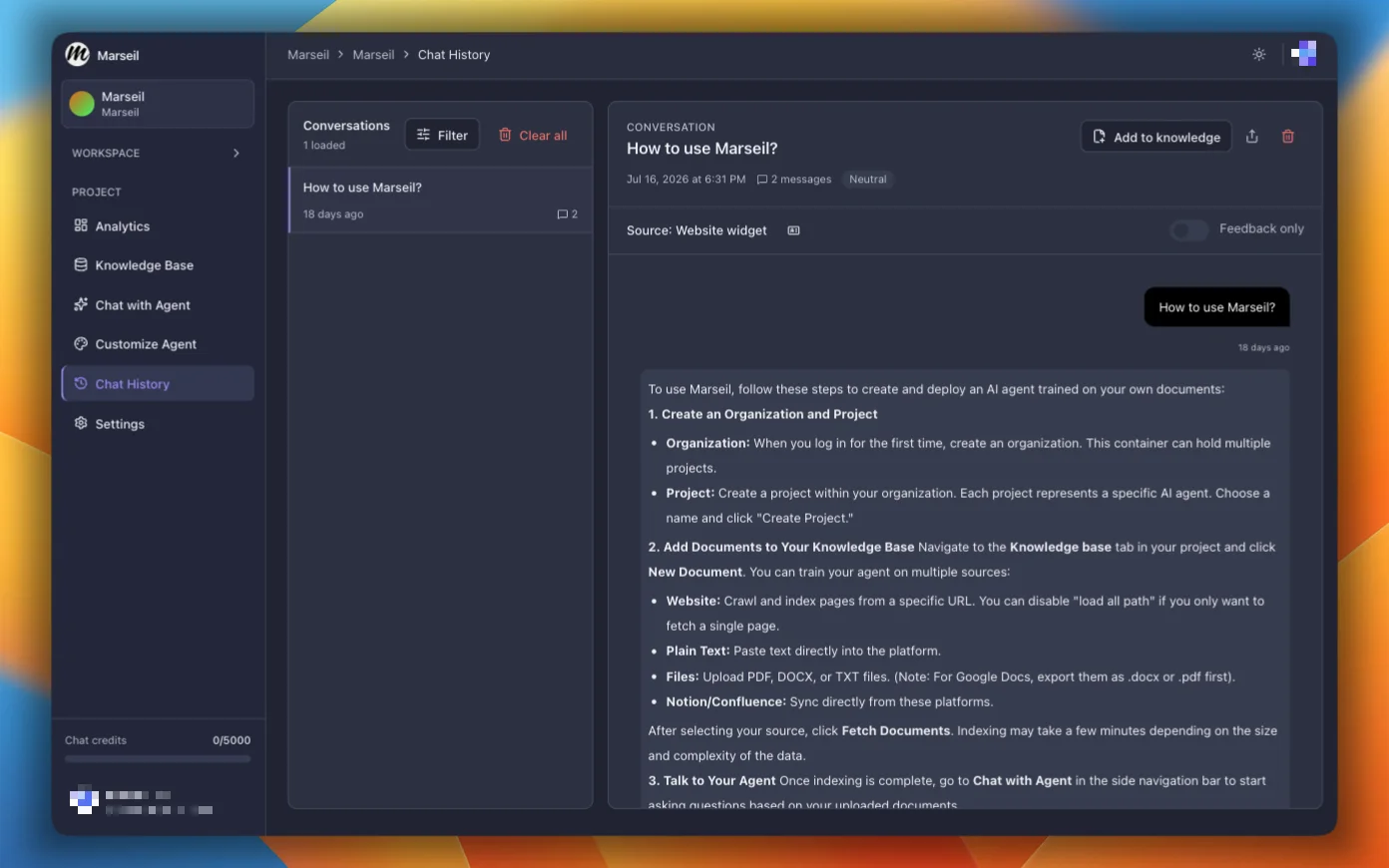
Go through user conversations to spot common issues and figure out where the agent is falling short.
Summary and Sentiment
Get summaries of full conversation threads along with sentiment. Generating a summary uses extra chat credits.
Suggest Answer
Turn a chat history into a plain text document so the agent gives better answers to similar questions next time.
View Feedback
Filter to conversations that have user feedback. Useful for figuring out what the agent gets wrong.
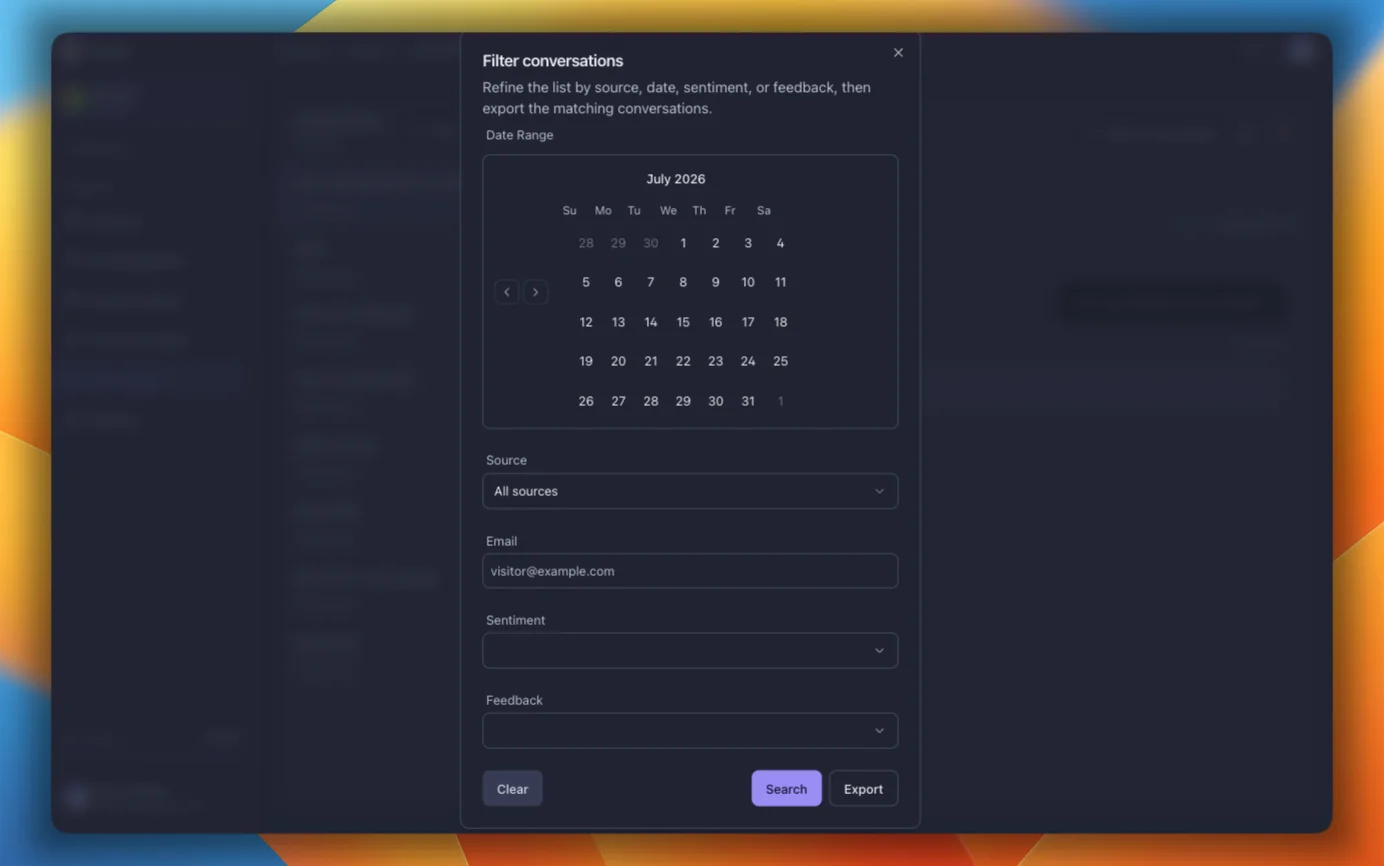
Filter and Export
Filter by:
- Date and time range
- Email (visitor email or user ID)
- Source (Dashboard, Website widget, Slack, API)
- Feedback (Positive, Negative, All)
- Sentiment (Positive, Negative, Neutral)
Click Export to download everything as a CSV. One row per message, with conversation metadata, source, visitor email, rating, summary, and feedback. Opens fine in Excel, Google Sheets, or whatever you use.
For programmatic access, use the Export Conversations API endpoint.